
The tour · 5 of 11
The map looks like the ground you walk.
Wood chips are picked for the brush, and the rest of the plot is already covered.
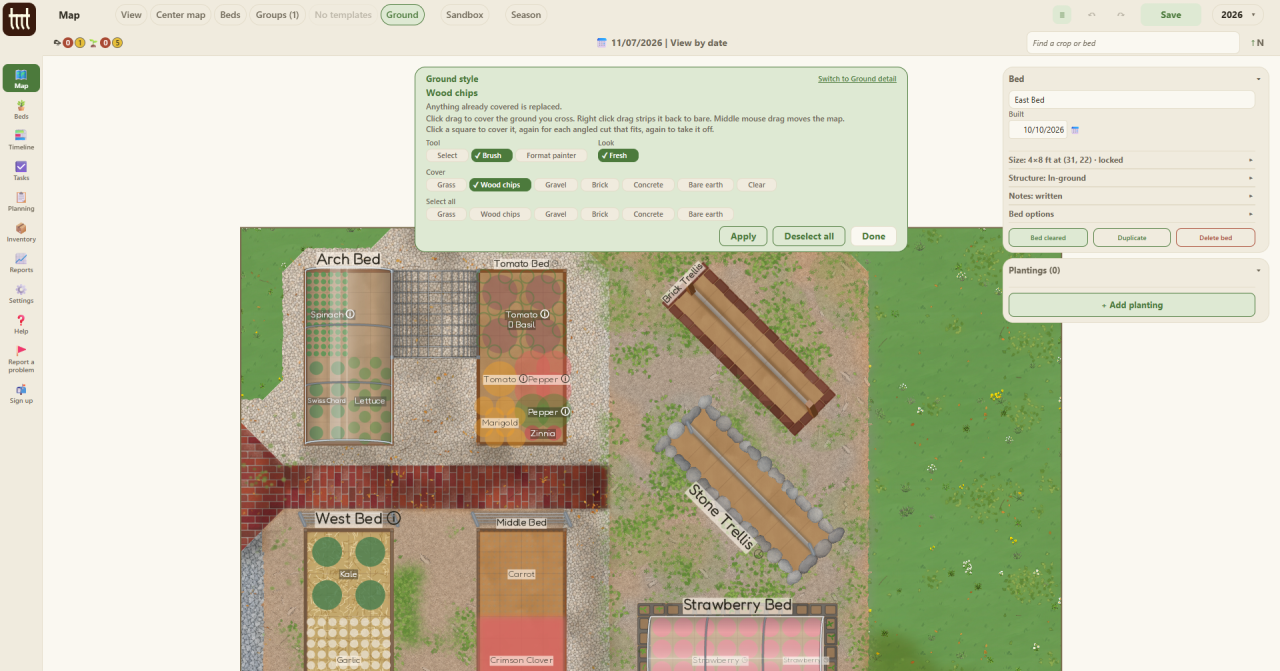
The beds are only part of a garden. The paths, the lawn and the gravel between them are painted too, so the map looks like the ground you walk.
Ground style is the cover: grass, wood chips, gravel, brick, concrete or bare earth. Brush it on where you drag, or select an area and cover it all at once. A square can take an angled cut, so a path can turn a corner the way yours does.
Ground detail is the wear on top of it: overgrowth, weathering and debris, on the ground you pick. It is how a map comes to look lived in, as this one does.